
Have you ever wished your phone could connect to your car without any messy cables? Imagine starting your drive and instantly seeing your favorite apps and maps on your car screen—without plugging anything in.
That’s exactly what an Android Auto Wireless Adapter does for you. But how does it actually work? You’ll discover the simple technology behind this smart gadget and how it makes your driving experience smoother and safer. Keep reading to find out how you can cut the cords and stay connected effortlessly.
What Is Android Auto Wireless Adapter
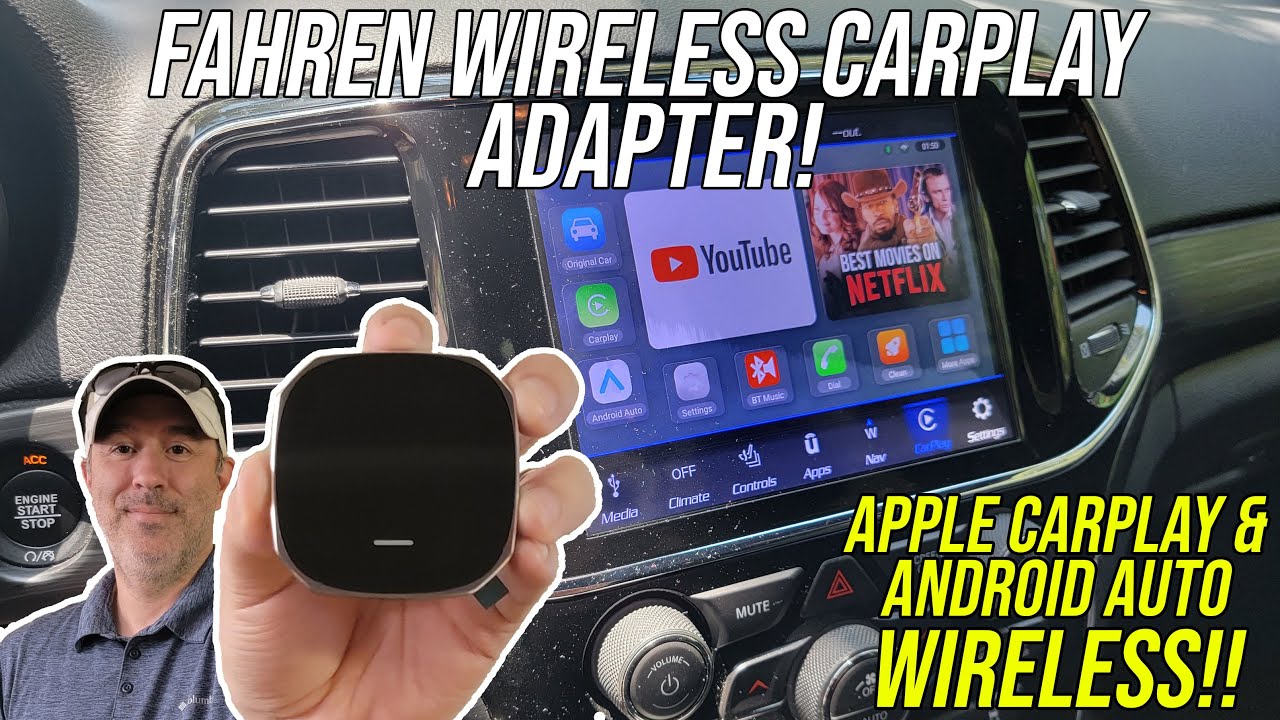
An Android Auto Wireless Adapter lets you connect your phone to your car’s display without using a cable. It works by sending data over Wi-Fi and Bluetooth.
This adapter makes it easier to use Android Auto features like maps, music, and calls while driving. You just plug the adapter into your car’s USB port.
How The Adapter Connects To Your Phone
The adapter first pairs with your phone using Bluetooth. This starts the connection and helps both devices find each other.
After that, it switches to a faster Wi-Fi connection. This lets your phone send apps and data to the car’s display quickly.
What Happens Inside The Adapter
The adapter acts like a bridge between your phone and the car. It receives data from your phone and sends it to the car’s screen.
It also handles commands from the car, like touch or voice input, and sends them back to your phone.
Why Use A Wireless Adapter
Using the adapter means no need to plug in your phone every time you get in the car. It saves time and reduces cable clutter.
The wireless connection also allows you to keep your phone in your pocket or bag while still using Android Auto features.
Key Components Of The Adapter
The Android Auto wireless adapter lets you connect your phone to your car without cables. It uses special parts to send data and power. These parts work together to give a smooth experience.
Understanding the key parts helps explain how the adapter works. The components include both hardware and software. Each plays a vital role in making wireless Android Auto possible.
Hardware Essentials
The hardware in an Android Auto wireless adapter handles connection and communication. It must support fast data transfer and power delivery. Main hardware includes wireless chips, power controllers, and connectors.
- Wireless Chipset:Sends and receives Wi-Fi and Bluetooth signals.
- Power Management:Supplies power to the adapter and sometimes to the phone.
- USB Connector:Plugs into the car’s USB port for power and data.
- LED Indicators:Show connection and power status.
Software Requirements
The software controls how the adapter connects and communicates with the phone and car. It manages wireless protocols and data security. The adapter must support specific Android Auto software versions.
- Android Auto App:Runs on the phone to send data to the car.
- Firmware:Software inside the adapter that manages wireless connections.
- Wi-Fi and Bluetooth Drivers:Enable smooth wireless communication.
- Security Protocols:Protect user data during wireless transfer.
Setup Process For Android Auto Wireless
Android Auto Wireless lets you connect your phone to your car without a cable. It makes using apps, maps, and music easier while driving.
Setting it up is simple but requires some steps. Knowing these steps helps you get started fast.
Compatibility Check
Before setting up, check if your phone and car support Android Auto Wireless. Not all phones or cars work with it.
Most Android phones running Android 11 or higher support it. Your car’s infotainment system must also have wireless Android Auto support.
- Phone: Android 11 or newer
- Car: Wireless Android Auto enabled
- Adapter: Compatible with your car model
Connecting To The Car
Plug the Android Auto Wireless adapter into your car’s USB port. The adapter acts as a bridge between your phone and car.
Turn on your car’s infotainment system. It should detect the adapter and start the wireless connection process.
- Insert the adapter into USB port
- Power on the car system
- Wait for the adapter to activate
Pairing With The Smartphone
Enable Bluetooth and Wi-Fi on your phone. The adapter uses these to connect your phone to the car wirelessly.
Open the Android Auto app on your phone. Follow the prompts to pair with the car and adapter.
- Turn on Bluetooth and Wi-Fi
- Open the Android Auto app
- Follow the on-screen pairing instructions
How Data Transfers Wirelessly
Android Auto Wireless Adapter lets your phone connect to your car without wires. It uses two main technologies for data transfer: Wi-Fi and Bluetooth.
Understanding how these technologies work helps you know how they affect your car’s connectivity. Each has a role in making sure your Android Auto works smoothly.
Wi-fi Vs Bluetooth Roles
Wi-Fi and Bluetooth both help connect your phone to your car. They do it in different ways.
Bluetooth is used for the initial connection between your phone and the car. It helps pair devices quickly and easily.
- Bluetooth: Creates a quick initial connection.
- Wi-Fi: Transfers larger data like maps and music.
Maintaining Stable Connections
Keeping a stable connection ensures that Android Auto works without interruptions. Wi-Fi plays a big role here.
Wi-Fi is faster and handles more data than Bluetooth. It keeps the connection stable for streaming and navigation.
| Bluetooth | Easy pairing |
| Wi-Fi | Handles heavy data |
Advantages Of Using Wireless Adapter
Android Auto wireless adapters let you connect your phone to your car without cables. They use Wi-Fi and Bluetooth to link your phone and car system.
These adapters make your driving experience easier and safer. They give you freedom to move and keep your car interior neat.
Convenience And Mobility
Wireless adapters remove the need to plug in your phone every time. You can start your car and Android Auto connects automatically.
This gives you more freedom to keep your phone in your pocket or bag. You do not have to worry about tangled cables or finding the right charger.
- No cables needed to connect your phone
- Automatic connection when you enter the car
- Move your phone freely without breaking the connection
- Less clutter in the car with no wires
Improved User Experience
Wireless adapters allow smoother use of Android Auto features. The connection is stable and fast, making apps respond quickly.
You can focus more on driving and less on handling your phone. Voice commands and touch screen use become safer and easier.
- Faster app loading and response times
- Hands-free control with voice commands
- Less distraction with automatic connection
- Safer driving by reducing phone handling

Credit: www.reddit.com
Common Issues And Troubleshooting
Android Auto Wireless Adapter makes driving easier. But, it can have issues. Here are common problems and how to fix them.
Understanding these problems can help you enjoy seamless connectivity. Let’s dive into the common issues.
Connection Drops
Connection drops are frustrating when using Android Auto Wireless. This happens if the signal is weak.
Ensure your phone is close to the adapter. Remove any obstacles between them.
- Check if Bluetooth is turned on
- Restart your phone and adapter
- Try reconnecting the devices
Compatibility Problems
Not all phones work with every adapter. Ensure your phone is compatible with Android Auto Wireless.
Check the adapter’s manual for supported devices. Update your phone’s software if needed.
| Phone Model | Compatible? |
| Samsung Galaxy S21 | Yes |
| iPhone 12 | No |
Firmware Updates
Firmware updates fix bugs and improve performance. Keep your adapter’s firmware up to date.
Check the manufacturer’s website for updates. Follow their instructions to update safely.
- Visit the adapter’s support page
- Download the latest firmware
- Follow update instructions
Future Of Android Auto Wireless Technology
Android Auto Wireless Adapter connects your phone to the car without cables. It uses Wi-Fi and Bluetooth to link devices. This technology makes driving safer and easier.
As wireless tech improves, Android Auto will gain new features. These upgrades will change how we use phones in cars.
Upcoming Features
New updates will speed up connection times and improve video quality. Voice commands will get smarter to reduce driver distractions. Some adapters may support more apps and better maps.
- Faster pairing between phone and car
- Higher resolution displays for clearer screens
- Improved voice control for hands-free use
- Support for new apps and services
- Better battery management on phones
Industry Trends
Car makers and tech companies work together to improve wireless Android Auto. They focus on security, speed, and ease of use. More cars come with built-in wireless support.
| Trend | Impact |
| Built-in wireless Android Auto | Less need for adapters |
| Stronger security features | Protects user data |
| Faster Wi-Fi standards | Better connection quality |
| Cross-brand compatibility | Works with many car models |
Credit: www.youtube.com

Credit: aluratek.com
Frequently Asked Questions
What Is An Android Auto Wireless Adapter?
An Android Auto wireless adapter enables a wireless connection between your phone and car’s infotainment system. It replaces the need for a USB cable. The adapter uses Wi-Fi and Bluetooth to transmit data seamlessly, allowing for hands-free access to apps and navigation.
How Does The Android Auto Wireless Adapter Connect?
The adapter pairs with your phone via Bluetooth first. Then, it establishes a Wi-Fi connection for data transfer. This two-step connection ensures stable and fast communication between your phone and car display without cables.
Which Cars Support Android Auto Wireless Adapters?
Most newer cars with Android Auto support wireless adapters. However, compatibility depends on your car’s infotainment system and software version. Check your car manufacturer’s guidelines or the adapter’s compatibility list before purchasing.
Can I Use Android Auto Wireless Adapter With Any Phone?
The adapter works with Android phones running Android 11 or higher. Some older versions may also support it if they have compatible hardware. Make sure your phone supports wireless Android Auto for smooth performance.
Conclusion
Android Auto Wireless Adapter connects your phone to car easily. It uses Wi-Fi and Bluetooth for quick pairing. No cables needed, so your dashboard stays neat. The adapter sends data fast for smooth apps and maps. It saves time and lets you focus on driving.
This small device makes your car more tech-friendly. Try it to enjoy hands-free calls and music. Simple, smart, and practical for daily drives.