
If you use an auto darkening welding helmet, you know how important it is to keep it powered up. But do you really know the best way to charge it?
Getting this right means your helmet will always protect your eyes perfectly, every time you weld. You’ll discover simple steps to charge your auto darkening welding helmet safely and effectively. By the end, you’ll never worry about your helmet running out of power mid-job again.
Keep reading to make sure your gear works exactly when you need it most.
Types Of Auto Darkening Helmets
Auto darkening welding helmets help protect your eyes from bright sparks and harmful rays. They change lens shade automatically when you start welding.
There are three main types of these helmets based on how they get power. Each type has its way to charge and work.
Solar Powered Helmets
Solar powered helmets use light from the welding arc to charge their batteries. They have solar cells on the front lens area.
These helmets do not need frequent battery changes because solar energy keeps them charged during use.
- Charges during welding with light from the arc
- Less need for battery replacement
- Works best in bright environments
Battery Powered Helmets
Battery powered helmets use replaceable or rechargeable batteries. These batteries supply power to the auto darkening lens.
You need to change or recharge batteries to keep the helmet working well. Battery life depends on usage and type.
- Uses replaceable or rechargeable batteries
- Needs battery changes or recharging
- Good for low-light or indoor welding
Hybrid Helmets
Hybrid helmets combine solar power with battery power. Solar cells charge the batteries during welding.
This design extends battery life and ensures the helmet stays powered longer. It works well in many conditions.
- Uses both solar cells and batteries
- Solar power helps charge batteries
- Longer battery life and reliable power

Credit: www.hitboxweld.com
Charging Methods
Auto darkening welding helmets need power to work properly. Charging the helmet keeps the lens ready to protect your eyes. There are several ways to charge or power these helmets.
This guide explains common charging methods. You will learn about solar energy, battery options, and USB charging.
Using Solar Energy
Many auto darkening helmets have solar cells. These cells use light to charge the helmet’s battery. This method helps extend battery life during use.
- Solar cells charge the battery from welding light and sunlight.
- Keep the solar panel clean for best charging.
- Solar energy reduces the need for frequent battery changes.
Replacing Or Recharging Batteries
Some helmets use replaceable or rechargeable batteries. Knowing how to handle these batteries is important for safety and performance.
| Battery Type | Charging Method | Notes |
| Replaceable Alkaline | Swap with new batteries | Dispose old batteries properly |
| Rechargeable Lithium-Ion | Use charger or USB port | Charge fully before use |
| Nickel-Metal Hydride (NiMH) | Use compatible charger | Do not overcharge |
Usb Charging Options
Some helmets have USB ports for charging. This method is fast and convenient. You can charge using a power bank, laptop, or wall adapter.
- Connect the helmet to a USB cable.
- Plug the cable into a power source.
- Charge until the indicator light shows full power.
- Unplug and use the helmet safely.
Step-by-step Charging Process
Charging your auto darkening welding helmet keeps it working well. A charged helmet protects your eyes during welding.
This guide shows how to charge your helmet safely and correctly in easy steps.
Inspecting The Helmet
Check the helmet for any damage before charging. Look for cracks or loose parts that could cause problems.
Make sure the solar panel and battery compartment are clean and dry. Dirt or moisture can affect charging.
Preparing The Charger Or Battery
Use the charger that came with your helmet or a compatible one. Read the charger instructions carefully.
- Check the charger’s power rating to match the helmet battery
- Inspect charger cables for damage or wear
- Make sure the battery is properly placed in the helmet
Charging The Helmet Safely
Charge the helmet in a dry, cool place away from direct sunlight. Avoid charging near flammable materials.
Connect the charger to the helmet battery carefully. Do not force the connection or use damaged plugs.
- Plug the charger into a power outlet
- Wait for the recommended charging time
- Unplug the charger after charging finishes
Testing The Helmet After Charging
Turn on the helmet and check the auto darkening feature. Make sure the lens changes shade quickly.
Look for any warning lights or error messages on the helmet display. If all works well, the helmet is ready to use.

Credit: www.amazon.com
Tips To Extend Battery Life
Auto darkening welding helmets use batteries to power the lens. Keeping the battery in good shape saves money and time.
Follow some simple steps to make the battery last longer and work better.
Proper Storage
Store the helmet in a cool, dry place to protect the battery. Avoid places with high heat or moisture.
Keep the helmet away from direct sunlight and extreme cold. These can damage the battery and reduce its life.
- Use a protective case for storage
- Remove batteries if not using for a long time
- Keep helmet away from water and dust
Regular Maintenance
Check the helmet and battery often. Clean the contacts to make sure power flows well.
Replace worn parts and batteries quickly. This keeps the helmet working at its best.
- Wipe battery contacts with a soft cloth
- Inspect helmet for cracks or damage
- Test the auto darkening feature regularly
Avoiding Overcharging
Do not leave the battery on the charger too long. Overcharging can shorten battery life.
Unplug the charger once the battery is full. Use the charger recommended by the helmet maker.
- Charge only when battery is low
- Use the correct charger for your helmet
- Unplug charger after full charge
Troubleshooting Charging Issues
Auto darkening welding helmets need power to work well. Sometimes charging problems stop them from working. This guide helps you fix those problems.
Read the tips below if your helmet is not charging, the battery drains fast, or the display acts strange.
Helmet Not Charging
If your helmet does not charge, first check the power source. Make sure the charger is plugged in and working.
Look at the charging port on the helmet. Dirt or damage can stop charging. Clean it gently with a dry cloth.
- Use a different charger if possible.
- Check if the charging light is on.
- Inspect the cable for cuts or breaks.
- Reset the helmet if it has a reset option.
Battery Drains Quickly
If the battery drains fast, it might be old or faulty. Batteries lose capacity over time and need replacing.
Make sure the helmet is turned off when not in use. Leaving it on wastes battery power quickly.
- Charge the helmet fully before use.
- Store the helmet in a cool, dry place.
- Replace the battery if it drains in a few hours.
- Check for software updates if your helmet supports them.
Display Malfunctions
If the display flickers or does not darken, the problem may be the battery or sensors. Weak batteries cause poor display performance.
Clean the sensors on the helmet lens. Dirt can block light and confuse the display.
- Check battery charge level.
- Clean the lens and sensors gently.
- Test the helmet in different lighting conditions.
- Contact support if the display still fails.
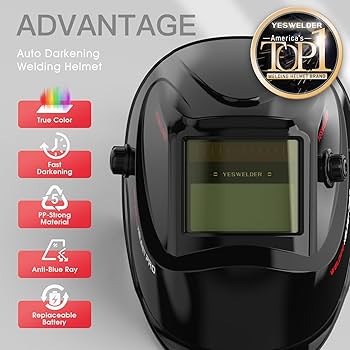
Credit: www.amazon.com
Frequently Asked Questions
How Do I Charge An Auto Darkening Welding Helmet?
Most helmets charge via solar cells or replaceable batteries. Place it under light or replace batteries as needed. Always check the user manual for specific charging instructions to ensure optimal performance.
Can I Use Usb To Charge My Welding Helmet?
Some modern helmets support USB charging. Verify your model’s compatibility in the manual. Use the recommended charger to avoid damage and ensure safe charging.
How Long Does A Welding Helmet Battery Last?
Battery life depends on usage and type. Typically, batteries last from several hours to months. Regularly check and replace batteries to maintain consistent auto-darkening performance.
What If My Welding Helmet Won’t Charge?
Check for faulty batteries or poor connections. Clean solar panels and contacts to ensure good charging. If problems persist, consult the manufacturer or service center.
Conclusion
Charging your auto darkening welding helmet keeps it ready to work. Always follow the charging steps carefully. Use the right charger and avoid overcharging the battery. Regular charging helps the helmet last longer and perform well. Keep the helmet clean and store it properly when not in use.
Proper care ensures safety and better welding results. Remember, a well-charged helmet protects your eyes during welding. Take simple steps to maintain it every day. Your safety matters most.