
If you’ve ever felt your BMW’s auto brake system kick in when you didn’t expect it, you know how frustrating it can be. Maybe you want more control over your driving or need to turn off the feature temporarily.
Whatever the reason, knowing how to turn off BMW auto brake safely and correctly can save you from unwanted surprises on the road. You’ll discover simple steps and important tips to take charge of your car’s braking system, so you can drive with confidence and peace of mind.
Keep reading to learn exactly what to do.
Auto Brake System In Bmw
The auto brake system in BMW helps prevent accidents. It automatically applies brakes if it detects danger.
Many drivers want to know how to turn off this system when needed. This guide explains the system and its use.
Purpose And Benefits
The auto brake system aims to improve safety on the road. It reduces the chance of collision by reacting faster than a driver.
- Detects obstacles and other vehicles ahead
- Automatically applies brakes if a crash is likely
- Helps reduce injury and car damage
- Works in city traffic and highway speeds
- Supports driver awareness and control
Common Activation Scenarios
The system activates in different situations to protect the driver and passengers. Knowing these helps understand when it might turn on or off.
| Scenario | Description |
| Sudden Traffic Stops | The system brakes if the car ahead stops quickly. |
| Pedestrian Crossing | It applies brakes when pedestrians suddenly appear. |
| Close Following Distance | Auto brake activates if too close to another vehicle. |
| Speed Limits | The system works best below certain speeds. |
| Slippery Roads | Activation may be limited in poor road conditions. |
Credit: www.bmwblog.com
Reasons To Disable Auto Brake
BMW’s auto brake system helps prevent accidents by stopping the car automatically. Sometimes, drivers may want to turn it off. This guide explains why you might disable it and what risks come with it.
Knowing when to deactivate the auto brake can keep you safe and avoid unwanted car reactions. It is important to weigh the benefits and risks before making changes.
Situations Warranting Deactivation
There are some cases when turning off the auto brake helps improve driving control or prevent issues. These include:
- Driving in heavy snow or ice where the system may react wrongly.
- Using a car wash where sensors might detect obstacles incorrectly.
- Off-road driving that confuses the auto brake sensors.
- When towing a trailer that affects the sensors’ distance readings.
- In stop-and-go traffic where frequent braking can be annoying.
Potential Risks Of Disabling
Turning off the auto brake can increase the chance of accidents. Drivers lose the extra protection the system offers. Some risks include:
| Risk | Description |
| Delayed Reaction | You may not brake fast enough in emergencies. |
| Increased Collision Chance | The system won’t stop the car to avoid crashes. |
| Reduced Safety for Pedestrians | Auto brake often helps avoid hitting people walking. |
| Higher Repair Costs | More accidents can lead to expensive damages. |
Methods To Turn Off Bmw Auto Brake
BMW Auto Brake helps prevent accidents by applying brakes automatically. Sometimes, you may want to turn it off. This guide shows easy ways to do that.
Use the vehicle settings, iDrive system, or physical buttons to disable the feature. Each method works for different BMW models.
Using The Vehicle Settings Menu
You can turn off Auto Brake through the vehicle settings menu on the dashboard. This menu controls many safety features.
Look for the safety or driver assistance section in the menu. Then find the Auto Brake or collision prevention option to disable it.
- Turn on the car and access the main menu
- Navigate to “Settings” or “Vehicle Settings”
- Select “Driver Assistance” or “Safety”
- Find “Auto Brake” or “Collision Prevention”
- Choose “Off” or “Disable” option
Through The Idrive System
The iDrive system controls many BMW features with a rotary knob and screen. You can use it to turn off Auto Brake.
Turn the iDrive knob to open the menu. Go to the safety settings and find the Auto Brake option. Select it and switch it off.
- Press the iDrive controller to open the main menu
- Go to “My Vehicle” or “Vehicle Settings”
- Scroll to “Driver Assistance” or “Safety Features”
- Select “Auto Brake” or “Collision Warning”
- Set the option to “Off”
Physical Controls And Buttons
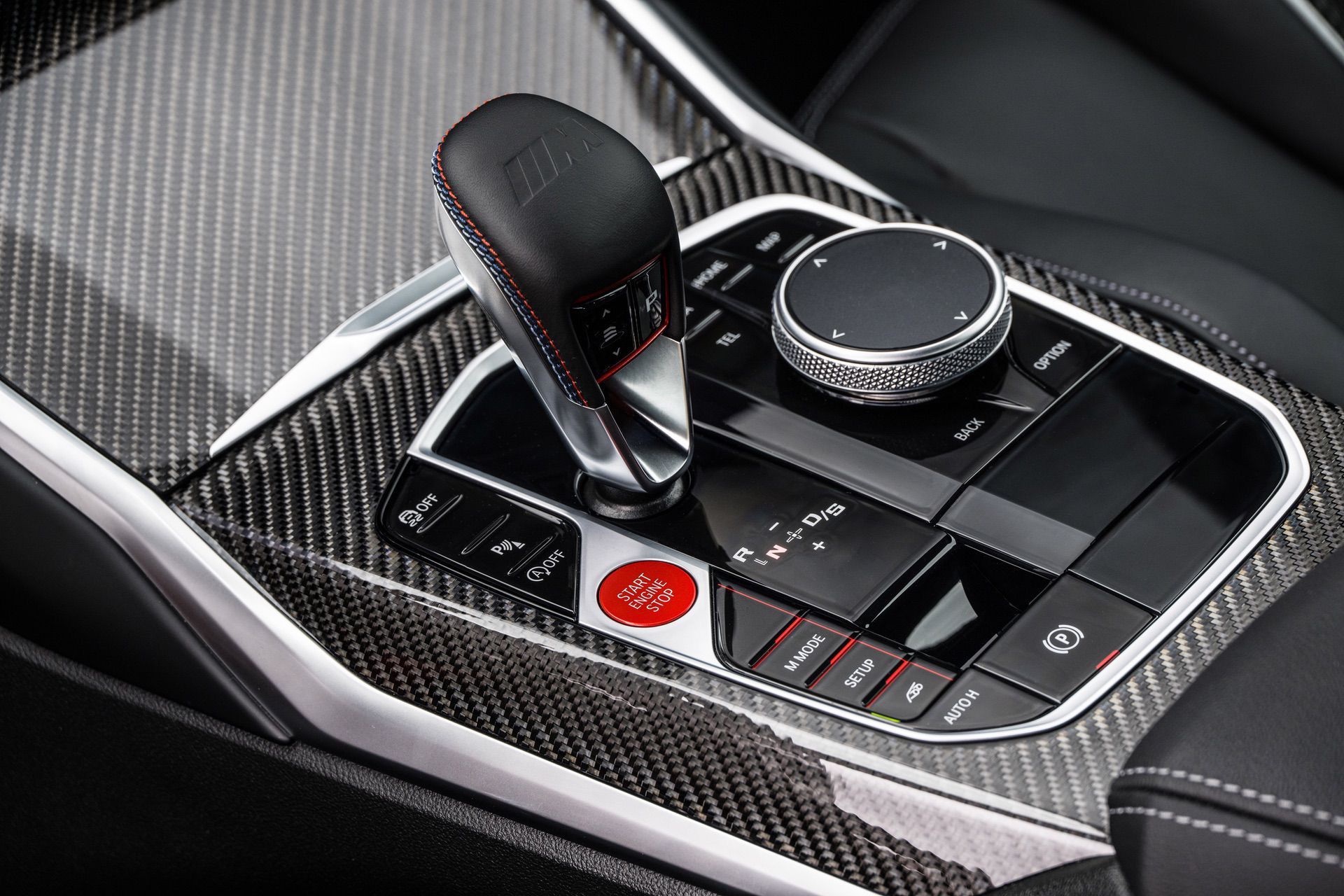
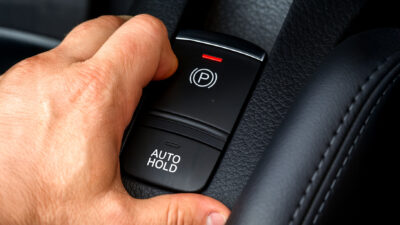
Some BMW models have buttons to turn off the Auto Brake system. These buttons are near the steering wheel or center console.
Press the button labeled with a brake symbol or “Auto Brake.” Hold it for a few seconds until the system turns off.
- Locate the Auto Brake or collision prevention button
- Press and hold the button for 3-5 seconds
- Look for a dashboard light indicating the system is off
- Release the button once the light appears
Step-by-step Guide To Disable Auto Brake
Auto Brake helps keep your BMW safe by stopping the car automatically. Sometimes, you may want to turn it off. This guide will show you how to do it simply and safely.
Follow these steps carefully to disable the Auto Brake feature. Make sure your vehicle is ready before changing any settings.
Preparing The Vehicle
First, park your BMW on a flat surface. Keep the engine running and your foot on the brake. This helps you access the settings safely.
Check that the car is in park mode. Make sure the display screen is on and working. This is important for the next steps.
Navigating The Menu Options
Use the iDrive controller or touchscreen to open the main menu. Look for the “Vehicle Settings” option and select it.
- Scroll to “Driver Assistance” or “Safety” settings
- Find the “Auto Brake” or “Automatic Braking” option
- Select the option to open its settings
If you cannot find the exact words, check your owner’s manual. Different BMW models may use slightly different names.
Confirming Deactivation
Once you select the Auto Brake option, choose “Off” or “Disable.” The system will ask you to confirm this change.
- Read the warning message carefully
- Press “Confirm” or “Yes” to turn off Auto Brake
- Wait for the system to save your settings
After confirmation, test your settings by checking the dashboard. The Auto Brake icon should no longer be active.
Safety Tips When Auto Brake Is Disabled
Turning off the BMW auto brake system means the driver must be more alert. The system helps prevent accidents by stopping the car automatically. Without it, you need to take extra care.
This guide focuses on two key safety tips to keep you safe when the auto brake is turned off.
Increased Driver Responsibility
Without the auto brake, you are fully responsible for stopping the vehicle in time. Watch your speed and keep a safe distance from other cars. Pay close attention to road signs and signals.
- Always keep your hands on the steering wheel.
- Stay focused on the road and avoid distractions.
- Check your mirrors frequently to be aware of nearby vehicles.
- Drive at a safe speed, especially in heavy traffic or bad weather.
- Be ready to brake quickly when needed.
Monitoring Surroundings Closely
When the auto brake is off, you must watch everything around your car carefully. This means looking out for pedestrians, cyclists, and other drivers.
| Key Surroundings to Monitor | What to Watch For |
| Front | Cars stopping suddenly, pedestrians crossing |
| Sides | Vehicles changing lanes, bikes and pedestrians |
| Rear | Cars following too closely |
| Blind Spots | Vehicles or obstacles not visible in mirrors |
Credit: www.carscoops.com
Reactivating The Auto Brake System
The BMW auto brake system is important for safety. Sometimes you might need to turn it back on. Let’s explore how to do this.
Follow these steps to ensure your BMW’s auto brake system is active when you need it.
When And How To Turn It Back On
Knowing when to reactivate the system can help keep you safe.
- Check the dashboard for any warning lights.
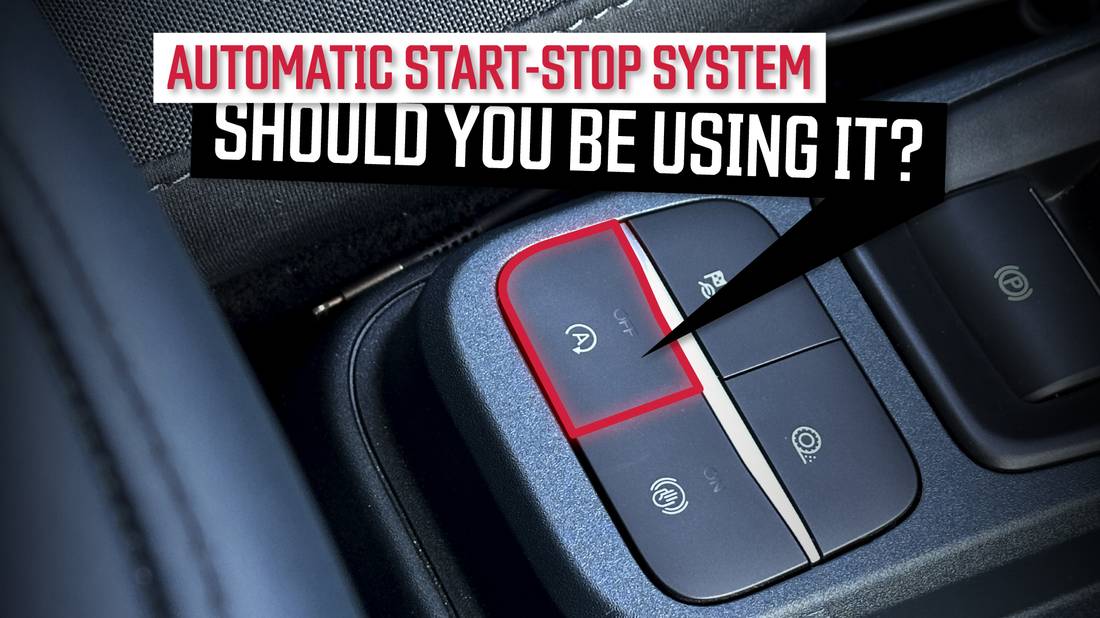
- Press the auto brake button on the center console.
- Listen for a confirmation sound to ensure activation.
Ensuring System Functionality
Regular checks can prevent issues with the auto brake system. Ensure everything works smoothly for a safe drive.
| Check | Frequency |
| Brake fluid levels | Monthly |
| Dashboard alerts | Weekly |
| System response | Each drive |
Credit: carbuzz.com
Frequently Asked Questions
How Do I Disable Bmw Auto Brake System?
To disable BMW auto brake, access the vehicle settings via the iDrive menu. Navigate to the driver assistance section, then find and turn off the automatic emergency braking option. Always confirm the changes before exiting the menu to ensure the system is disabled properly.
Can I Turn Off Bmw Auto Brake Temporarily?
Yes, you can temporarily disable BMW auto brake. Use the iDrive system to access driver assistance settings. Toggle off the automatic emergency braking feature when needed. Remember to reactivate it afterward for your safety and compliance with driving regulations.
Is It Safe To Turn Off Bmw Auto Brake?
Turning off BMW auto brake reduces your safety features. The system helps prevent collisions by automatically braking. Disable it only if necessary and in safe conditions. Always drive cautiously and consider re-enabling the system for added protection.
Does Turning Off Auto Brake Affect Car Warranty?
Disabling the BMW auto brake system usually does not void the warranty. However, modifying safety features might affect warranty coverage. Check your vehicle’s warranty terms or consult your dealer before making changes. Ensure any adjustments comply with manufacturer guidelines.
Conclusion
Turning off BMW auto brake is simple with clear steps. Always check your car manual first. Safety is key when making changes to your vehicle. Use the settings menu to find the auto brake option. Switch it off only when you fully understand the effects.
Driving carefully helps avoid accidents, even without auto brake. Stay alert and keep control of your car at all times. These tips help you manage your BMW features easily. Your safety matters most on every trip.