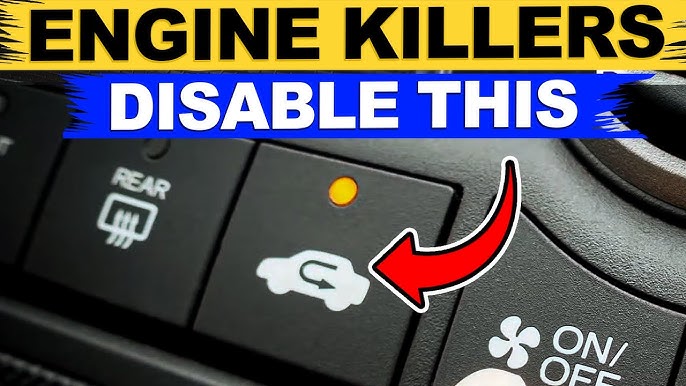
Are you tired of your Toyota’s auto brake system stepping in at the wrong moments? Sometimes, this feature can feel more like a hassle than a help.
If you’ve ever found yourself wanting full control over your driving without unexpected brakes, you’re not alone. You’ll learn exactly how to turn off the auto brake on your Toyota quickly and safely. Keep reading, because taking back control of your drive is easier than you think.
Auto Brake In Toyota
Toyota vehicles have a safety feature called Auto Brake. It helps prevent accidents by stopping the car automatically.
Some drivers want to know how to turn off Auto Brake. Understanding how it works is important first.
What Auto Brake Does
Auto Brake helps stop your car when it senses danger ahead. It applies the brakes to avoid a crash or lessen its impact.
This system works with sensors and cameras to watch the road. It reacts faster than a human can.
- Detects objects or cars in front
- Warns the driver if a collision is likely
- Applies brakes automatically if needed
Why It Activates
Auto Brake turns on when the system thinks a crash might happen soon. It acts to keep you safe.
The system looks for sudden stops, slow traffic, or obstacles in your path. It reacts quickly to protect you.
- Sudden stopping of cars ahead
- Pedestrians crossing unexpectedly
- Objects blocking the road
- Driver not braking in time
Credit: www.tacoma4g.com
When To Disable Auto Brake
Auto brake is a safety feature that stops your Toyota automatically. It helps avoid accidents by braking when danger is near.
There are times when you might need to turn off the auto brake. Knowing when to disable it keeps you safe and in control.
Common Scenarios
You may need to disable auto brake in some driving situations. This helps avoid unexpected stops or problems.
- Driving in heavy snow or ice where sensors may act wrongly
- When towing a trailer that can confuse the system
- Off-road driving where sudden braking can cause danger
- Using a car wash where sensors detect false obstacles
Safety Considerations
Auto brake helps prevent crashes and injuries. Turning it off can increase risks, so be careful.
Only disable auto brake if you fully understand the situation. Turn it back on as soon as you can to stay protected.
- Always keep your full attention on the road
- Use auto brake for normal city and highway driving
- Check your Toyota’s manual for specific instructions
- Turn off the system only when necessary and safe
Steps To Turn Off Auto Brake
Auto brake is a safety feature in Toyota vehicles. It helps avoid collisions by applying brakes automatically. You can turn it off if you want.
Here are simple ways to disable the auto brake system. Follow these steps carefully to change the settings.
Accessing Vehicle Settings
First, you need to access the vehicle settings menu. This lets you control safety features like auto brake.
- Turn on your vehicle without starting the engine.
- Press the “Menu” button on the steering wheel.
- Use the arrow keys to find “Settings.”
- Select “Safety” or “Driver Assistance.”
- Look for “Auto Brake” or “Pre-Collision System.”
Using The Touchscreen Menu
Many Toyota models let you use the touchscreen to change settings. This is a quick way to turn off auto brake.
- Turn on your car and unlock the touchscreen.
- Tap the “Setup” or “Settings” icon on the screen.
- Go to “Vehicle” or “Safety” settings.
- Find the “Auto Brake” or “Pre-Collision” option.
- Tap to disable the auto brake system.
Using Physical Buttons
Some Toyotas have physical buttons to control safety features. Use these to turn off the auto brake system.
| Button | Function | How to Use |
|---|---|---|
| Auto Brake OFF | Directly disables auto brake | Press and hold for 3 seconds to toggle off |
| Safety Features Menu | Access safety settings | Press repeatedly until auto brake option shows |
| Confirm Button | Confirm selection | Press once to disable auto brake |
Credit: www.tacoma4g.com
Reactivating Auto Brake
Auto Brake helps keep you safe by stopping your car automatically. Sometimes, you may turn it off. This guide shows how to turn it back on.
Follow these simple steps to reactivate the Auto Brake system in your Toyota.
Turning The System Back On
To turn the Auto Brake system back on, start by locating the system button on your dashboard. Press and hold it until the indicator light turns on.
- Turn the ignition to the “On” position without starting the engine.
- Find the Auto Brake button, often labeled as “PCS” or “Pre-Collision System”.
- Press and hold the button until the light on the dashboard lights up.
- Release the button once the light stays on.
Confirming Activation
After turning the system on, check if Auto Brake is active. The dashboard will show a green icon when the system works.
| Dashboard Icon | Meaning |
| Green Car with Brake Symbol | Auto Brake is active |
| Yellow Car with Brake Symbol | System needs attention |
| No Icon | Auto Brake is off |
Troubleshooting Auto Brake Issues
The auto brake system in Toyota helps keep you safe by stopping the car automatically. Sometimes, it may not work correctly or you might want to turn it off.
This guide explains how to handle problems with the auto brake system and when to contact a dealer for help.
System Malfunctions
If the auto brake system has a malfunction, it may turn on or off by itself. Warning lights may show on your dashboard.
Common signs of malfunction include sudden braking or no braking when needed. Dirt or sensors blocked by debris can cause these problems.
- Check if sensors are clean and free of dirt.
- Restart the car to reset the system.
- Look for any warning lights on the dashboard.
- Do not try to turn off the system while driving.
When To Contact A Dealer
Contact your Toyota dealer if the auto brake system keeps malfunctioning after cleaning sensors and restarting the car. Also, if warning lights stay on, get professional help.
The dealer can run a full diagnostic and fix any software or hardware problems safely. Do not ignore warning signs or attempt complicated repairs yourself.
Credit: www.tacoma4g.com
Frequently Asked Questions
How Do I Disable Auto Brake On My Toyota?
To disable Auto Brake, access your vehicle’s settings menu via the touchscreen. Navigate to “Safety” or “Driver Assistance. ” Locate the Auto Brake or Pre-Collision System and toggle it off. Always consult your owner’s manual for model-specific instructions.
Can I Turn Off Auto Brake Temporarily In Toyota?
Yes, some Toyota models allow temporary deactivation of Auto Brake. This is usually done through the vehicle’s safety settings or by pressing a dedicated button. Temporary disabling is useful in certain driving conditions but remember to reactivate it for safety.
Is Turning Off Auto Brake Safe In A Toyota?
Turning off Auto Brake reduces your vehicle’s automatic collision prevention. It’s generally not recommended except in rare situations. Keep it enabled to maintain maximum safety and avoid accidents. Always weigh the risks before disabling this feature.
Will Turning Off Auto Brake Affect Toyota Warranty?
Disabling Auto Brake typically does not void your Toyota’s warranty. However, altering vehicle systems improperly might cause issues. Always follow manufacturer guidelines and use authorized service centers to avoid warranty complications.
Conclusion
Turning off the auto brake on your Toyota is simple and clear. Follow the steps carefully to keep control over your vehicle. Always stay aware of safety while driving. Adjust settings only when the car is stopped. Knowing how to manage this feature helps you drive with confidence.
Keep your manual handy for more details. Stay safe and enjoy your Toyota’s smooth ride.