
Is your car struggling to start or showing signs of a weak battery? Knowing how to test your auto battery can save you from unexpected breakdowns and costly repairs.
You don’t need to be a mechanic or have special tools to check if your battery is still in good shape. This guide will walk you through simple, effective steps to test your battery at home. By the end, you’ll feel confident about your battery’s health and know exactly when it’s time for a replacement.
Keep reading to protect your car and avoid getting stuck when you least expect it.

Credit: www.youtube.com
Signs Of A Failing Battery
A car battery powers your vehicle’s electrical system. It needs to work well to start the engine. Over time, batteries wear out and fail. Recognizing signs of a weak battery helps avoid being stranded.
Check your battery regularly. Notice these common signs that show your battery may be failing soon. Early detection can save you from unexpected car troubles.
Slow Engine Crank
If the engine turns over slowly when you start the car, the battery may be weak. A slow crank means the battery does not have enough power. This can happen more on cold mornings.
- Turn the key and listen to the engine’s sound.
- If it takes longer than usual to start, note the delay.
- Try to start the car several times to see if it improves.
- Consider testing the battery with a voltmeter or at a shop.
Dim Lights
Dimming headlights and dashboard lights are signs of a weak battery. When the battery cannot supply enough power, lights appear less bright. This is especially clear when the engine is off or idling.
| Condition | What You See | Possible Cause |
|---|---|---|
| Engine Off | Lights are dim or flicker | Battery charge is low |
| Engine Idling | Headlights look weak | Battery not charging well |
| Engine Running | Lights normal brightness | Battery and alternator working |
Corroded Terminals
Corrosion on battery terminals can stop the battery from working properly. White or green powder on the terminals blocks power flow. Cleaning terminals can help, but heavy corrosion means battery replacement may be needed.
- White, blue, or green powder on battery posts
- Car won’t start or has trouble starting
- Electrical accessories fail or flicker
- Battery cables feel loose or damaged

Credit: www.youtube.com
Tools Needed For Testing
Testing an auto battery requires some basic tools. These tools help you check the battery’s health and performance.
Using the right tools makes the testing process safe and accurate. Here are the main tools you need.
Multimeter
A multimeter measures the battery’s voltage and electrical current. It tells you if the battery holds a proper charge or if it is weak.
- Set the multimeter to DC voltage mode
- Connect the red lead to the positive terminal
- Connect the black lead to the negative terminal
- Read the voltage displayed on the screen
Load Tester
A load tester applies a load to the battery to see how it performs under pressure. This test shows if the battery can supply enough power.
| Load Tester Step | What to Do |
| 1 | Connect load tester clamps to battery terminals |
| 2 | Apply load for 10-15 seconds |
| 3 | Check voltage drop during the test |
| 4 | Release the load and observe voltage recovery |
Hydrometer
A hydrometer measures the acid level inside each battery cell. This helps check the battery’s charge and condition.
Follow these steps to use a hydrometer:
- Remove cell caps carefully
- Insert hydrometer tube into the cell fluid
- Draw fluid into the hydrometer
- Read the specific gravity on the scale
- Record results for each cell
Testing Battery Voltage
Testing your car battery voltage helps you know its condition. You can do this with a multimeter.
Checking voltage is simple and shows if the battery needs charging or replacing.
Setting Up The Multimeter
First, set your multimeter to measure voltage. Choose DC volts (V) and a range above 12 volts.
- Turn the dial to DC voltage (V with straight line)
- Select a range between 20 and 30 volts
- Prepare the red and black probes for use
Measuring Voltage Levels
Touch the red probe to the positive battery terminal. Touch the black probe to the negative terminal.
Read the number on the multimeter screen. This number shows the battery’s voltage level.
| Voltage Reading | Battery Condition |
| 12.6 volts or more | Fully charged |
| 12.4 to 12.6 volts | Partially charged |
| 12.3 volts or less | Needs charging or replacement |
Interpreting Results
If voltage is low, charge the battery and test again. If it stays low, it may be bad.
High voltage readings may mean the battery is overcharged. This can damage the battery.
Load Testing The Battery
Load testing checks how well your car battery works under pressure. It shows if the battery can deliver enough power to start the engine.
This test helps find weak or failing batteries before they cause problems on the road.
Preparing The Battery
Start by turning off the engine and all lights. Clean the battery terminals to remove dirt and corrosion. Wear gloves and eye protection to stay safe.
- Check the battery voltage with a multimeter; it should read around 12.6 volts when fully charged.
- Inspect the battery for cracks or leaks.
- Make sure the battery is securely mounted in its tray.
Performing The Load Test
Use a battery load tester to apply a heavy load for 10 to 15 seconds. This simulates the starting process of the car. Watch the voltage drop during the test.
- Connect the load tester clamps to the battery terminals correctly.
- Press the load switch or lever to apply the load.
- Hold the load for the recommended time, usually 10-15 seconds.
- Note the voltage reading while the load is applied.
- Release the load and observe the voltage recovery.
Analyzing Load Test Outcome
Compare the voltage readings during and after the load test to the standard values. This shows the battery’s health and ability to start the engine.
| Voltage Reading | Battery Condition |
|---|---|
| Above 9.6 volts under load | Good condition |
| Between 9.0 and 9.6 volts | Weak battery, consider replacement |
| Below 9.0 volts | Bad battery, replace immediately |
Checking Electrolyte Levels
Testing an auto battery’s electrolyte levels helps ensure it works well. Proper levels keep the battery charged and healthy.
Checking electrolyte levels is simple but needs care. Use the right tools and follow safety rules.
Safety Precautions
Battery acid is dangerous. Protect yourself before testing electrolyte levels. Wear gloves and goggles to avoid contact with acid.
- Work in a well-ventilated area to avoid fumes
- Keep flames and sparks away from the battery
- Do not smoke near the battery
- Use insulated tools to prevent short circuits
- Have baking soda or water nearby to neutralize spills
Using A Hydrometer
A hydrometer measures the specific gravity of the electrolyte. This shows the battery’s charge level and health.
- Remove the battery caps carefully
- Insert the hydrometer tube into each cell
- Draw electrolyte into the hydrometer
- Read the specific gravity on the scale
- Record the readings for all cells
Assessing Electrolyte Condition
| Specific Gravity Range | Battery Condition |
| 1.265 – 1.299 | Fully charged, good condition |
| 1.200 – 1.264 | Partially charged, check again soon |
| Below 1.200 | Low charge, battery may need charging |
| Very low or uneven levels | Possible battery damage or sulfation |
Check for cloudy or discolored electrolyte. This may signal contamination or damage. Clear electrolyte means better battery health.
Testing Battery With A Headlight
Testing your car battery with a headlight is easy and quick. You only need a few tools and some basic knowledge.
This method helps determine if your car battery has enough power. Follow these steps to test it effectively.
Connecting The Headlight
Start by safely connecting the headlight to the battery. Ensure all connections are secure and avoid any contact with metal parts.
- Locate the positive and negative terminals on the battery.
- Attach the headlight’s positive wire to the battery’s positive terminal.
- Connect the headlight’s negative wire to the battery’s negative terminal.
- Ensure all connections are tight and secure.
Observing Brightness
Once the headlight is connected, observe its brightness. This will give you clues about the battery’s condition.
What It Indicates
Understanding the brightness can help diagnose battery problems. Use the observations to decide if your battery needs attention.
| Brightness | Battery Condition |
| Bright | Good |
| Dim | Weak |
| No Light | Dead or Disconnected |
Common Battery Issues And Fixes
Car batteries can cause problems if not maintained well. Knowing how to fix these issues is important for every car owner.
Let’s explore some common battery issues and how to address them effectively.
Cleaning Corroded Terminals
Corrosion on battery terminals can prevent your car from starting. Cleaning them is simple and keeps your battery healthy.
Use these steps to clean corroded terminals:
- Disconnect the battery cables, starting with the negative.
- Mix baking soda with water to form a paste.
- Apply the paste with an old toothbrush and scrub gently.
- Rinse with water and dry completely before reconnecting.
Recharging The Battery
Sometimes, a dead battery just needs a recharge. Ensure you have the right tools and follow safety measures.
- Turn off your car and remove the keys.
- Attach the charger to the battery terminals.
- Set the charger to the correct voltage.
- Turn on the charger and let it work.
- Once charged, turn off the charger and remove the cables.
When To Replace
A battery won’t last forever. Knowing when to replace it can save you from unexpected breakdowns.
| Signs of Replacement | Action Required |
| Slow engine crank | Consider replacing the battery |
| Swollen battery case | Replace immediately |
| Old age (3-5 years) | Get it tested or replace |
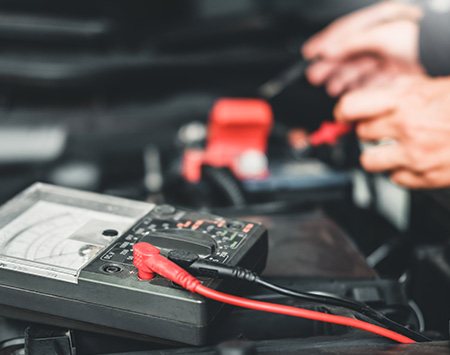
Credit: www.batteriesplus.com
Frequently Asked Questions
How Do I Check My Car Battery’s Health?
To check your car battery’s health, use a multimeter to measure voltage. A healthy battery shows around 12. 6 volts when the engine is off. Lower voltage indicates a weak or dead battery needing replacement or recharge.
What Tools Are Needed To Test An Auto Battery?
You need a multimeter or a battery tester to test an auto battery. Both tools measure voltage and overall battery condition. A multimeter is versatile, while a battery tester gives more specific battery health data.
How Often Should I Test My Car Battery?
Test your car battery every six months or before long trips. Regular testing helps avoid unexpected failures and extends battery life. Frequent checks are important in extreme weather conditions.
Can I Test A Car Battery Without Removing It?
Yes, you can test a car battery without removing it. Access the battery terminals safely, connect your multimeter or tester, and measure voltage. Always ensure your car is off and you follow safety precautions.
Conclusion
Testing your auto battery helps avoid unexpected car troubles. You can check battery health with simple tools at home. Regular testing keeps your vehicle running smoothly and saves money. Know the signs of a weak battery early to act fast.
Stay safe on the road by keeping your battery in good shape. Testing takes little time but offers great peace of mind. Keep your car ready for any trip by checking the battery often. Simple steps make a big difference in car care.