
Is your car battery dead right when you need it most? You’re not alone, and the good news is you don’t always have to call for help or buy a new battery.
Learning how to recharge your auto battery can save you time, money, and stress. In this guide, you’ll discover simple, step-by-step methods to bring your battery back to life quickly and safely. Keep reading—you’ll feel confident tackling this common problem on your own and get your car running smoothly again.
Signs Of A Dead Battery
A car battery can die without warning. Knowing the signs helps you avoid trouble. A dead battery stops your car from starting.
Look for these signs early to save time and money. Many problems show before the battery fails completely.
Common Battery Problems
Batteries face many issues that cause them to fail. Age, weather, and use affect battery life. Some problems are easy to fix.
- Corroded battery terminals stop power flow
- Loose cables cause weak connections
- Old batteries lose charge quickly
- Extreme cold slows battery chemical reactions
- Parasitic drains use battery when car is off
Check terminals for white or green crust. Clean and tighten cables for better contact. Replace batteries older than 3-5 years.
How To Test Battery Health
Testing battery health helps decide if you need a recharge or replacement. Use a multimeter or visit a mechanic for a test.
- Set multimeter to DC volts
- Connect red lead to positive terminal
- Connect black lead to negative terminal
- Check voltage reading: 12.6 volts or above is good
- Below 12.4 volts means battery is weak
- Below 12.0 volts means battery needs charging or replacing
Some cars show battery warning lights on the dashboard. Watch for slow engine crank or dim headlights as other signs.
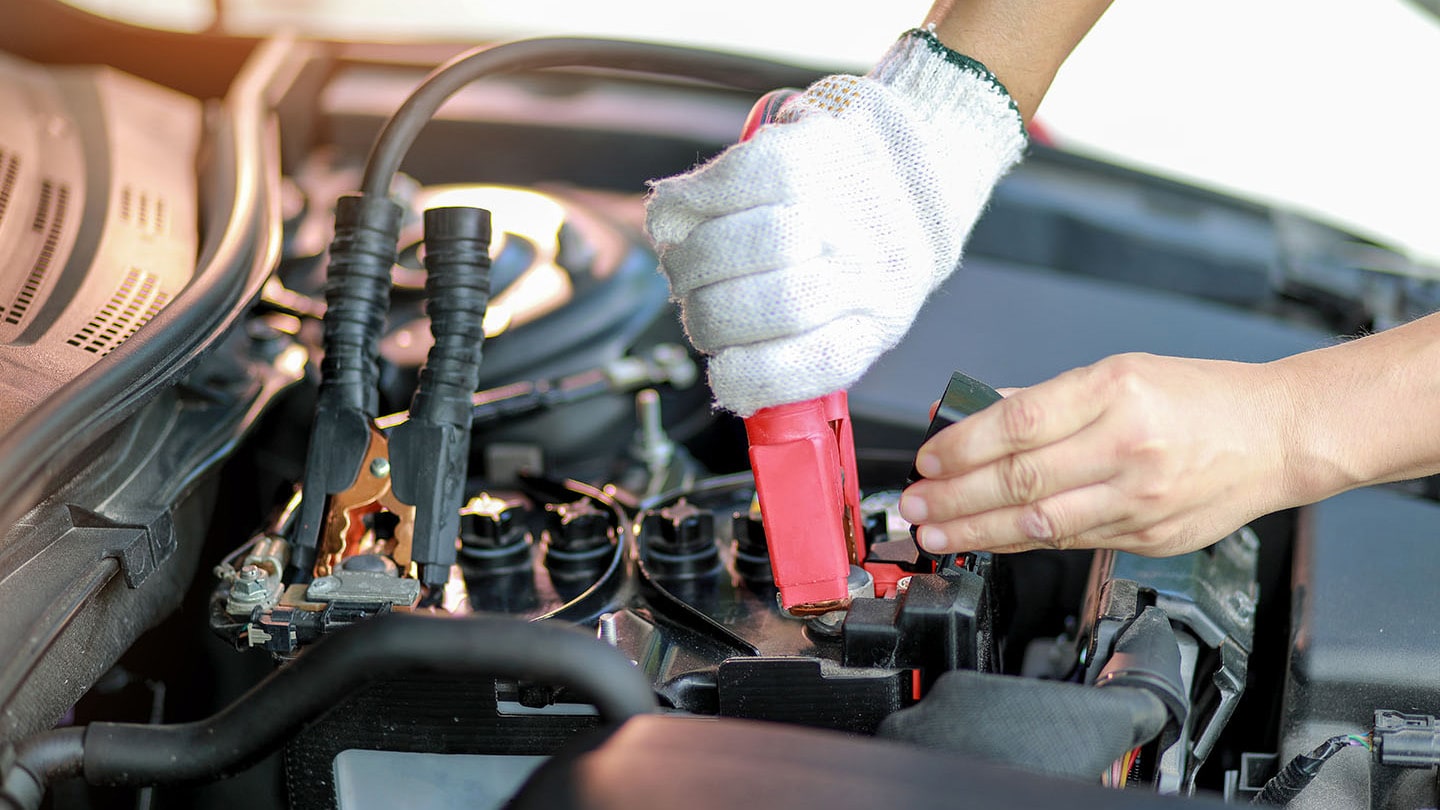
Credit: www.chase.com
Tools Needed For Recharging
Recharging an auto battery requires the right tools. Using proper equipment helps you do the job safely and correctly.
This guide covers the main tools you need to recharge a car battery at home.
Battery Charger Types
There are different types of battery chargers. Each type works in a unique way to recharge your battery.
Choose a charger that fits your battery size and charging needs.
- Trickle Charger:Charges slowly and keeps battery full over time.
- Standard Charger:Charges at a medium speed; good for most batteries.
- Fast Charger:Charges quickly but needs monitoring to avoid damage.
- Smart Charger:Automatically adjusts charging rate and stops when full.
Safety Gear Essentials
Safety gear protects you from sparks and harmful chemicals while charging.
Always wear the right gear to stay safe during the process.
- Safety goggles to protect your eyes from acid splashes.
- Rubber gloves to shield your hands from battery acid.
- Long-sleeve shirt and pants to avoid skin contact.
- Well-ventilated area or fan to reduce harmful gas buildup.
- Fire extinguisher nearby in case of sparks or fire.
Preparing The Battery
Before recharging an auto battery, it is important to prepare it properly. Good preparation helps ensure safety and better charging results.
This guide covers locating the battery, cleaning the terminals, and checking the battery fluid.
Locating The Battery
Most car batteries are under the hood, near the front of the vehicle. Some batteries may be in the trunk or under a seat.
Look for a rectangular box with two cables connected to it. One cable is positive (+), and the other is negative (-).
Cleaning Terminals
Dirty or corroded terminals can stop the battery from charging well. Cleaning them helps improve the connection.
Use a mixture of baking soda and water with a brush to clean the terminals. Wear gloves and eye protection for safety.
- Disconnect the negative cable first
- Apply the baking soda paste to terminals
- Scrub gently with a wire brush
- Rinse with water and dry with a cloth
- Reconnect cables, positive first
Checking Battery Fluid
Some batteries have removable caps to check the fluid inside. The fluid level should cover the battery plates.
If the fluid is low, add distilled water carefully. Do not overfill, and never use tap water.
- Remove caps gently
- Look inside for fluid level
- Add distilled water if low
- Replace caps securely
Step-by-step Recharging Process
Recharging an auto battery helps restore its power for your vehicle. It is important to follow the right steps to do this safely.
This guide shows you how to recharge your car battery using a charger in a clear and simple way.
Connecting The Charger
First, park your car in a safe, dry place. Turn off the engine and all electrical devices.
Open the car hood and locate the battery. Identify the positive (+) and negative (-) terminals.
- Attach the red clamp to the positive (+) terminal.
- Attach the black clamp to the negative (-) terminal.
- Make sure clamps are tight and not touching each other.
Setting The Charger
Check your charger’s settings before turning it on. Choose the correct voltage for your battery, usually 12 volts.
Set the charging rate. Slow charging is safer and better for battery life. Fast charging is quicker but can cause heat.
- Select “slow” or “trickle” charge for best results.
- Use “fast” charge only if you need a quick boost.
- Follow charger instructions carefully.
Charging Duration Tips
Charging time depends on the battery size and how much charge it lost. Usually, it takes several hours.
Check the charger’s indicator to see the charge level. Do not overcharge the battery to avoid damage.
- Slow charge may take 6 to 12 hours.
- Fast charge can take 1 to 3 hours.
- Stop charging when the battery is full.
Disconnecting Safely
Turn off the charger before removing clamps. This prevents sparks and damage.
Remove the black clamp from the negative (-) terminal first. Then remove the red clamp from the positive (+) terminal.
- Always remove clamps in this order: negative, then positive.
- Store the charger safely after use.
- Close the car hood securely.
Aftercare And Maintenance
Keeping your auto battery in good shape helps your vehicle run smoothly. Proper aftercare and maintenance extend the battery’s life. This guide covers key steps to care for your battery after recharging.
Regular checks and simple habits prevent battery problems. Learn how to test your battery, avoid drain, and know when to replace it.
Testing The Battery Post-charge
After charging, test the battery to ensure it works well. Use a voltmeter to check the voltage. A healthy battery shows about 12.6 volts or more when fully charged.
- Turn off the engine and all electrical devices.
- Connect the voltmeter probes to the battery terminals.
- Read the voltage on the meter display.
- If voltage is below 12.4 volts, the battery might need more charging or replacement.
- Start the engine and check the voltage again. It should rise to around 13.7 to 14.7 volts if the alternator works well.
Preventing Future Battery Drain
Battery drain happens when electrical parts use power while the engine is off. Avoid this by following these tips.
- Turn off all lights, radios, and accessories before leaving your car.
- Check for any electrical faults like a stuck switch or short circuit.
- Keep battery terminals clean and free from corrosion.
- Disconnect the battery if the vehicle will not be used for a long time.
- Use a battery maintainer or trickle charger for vehicles stored for months.
When To Replace The Battery
Knowing when to replace your battery saves time and prevents breakdowns. Watch for signs that the battery is failing.
| Sign | What It Means |
| Slow engine crank | Battery is weak and struggles to start the car. |
| Check engine or battery light | Battery or charging system has a problem. |
| Swollen battery case | Battery overheated or damaged and should be replaced. |
| Old age (3-5 years) | Most batteries lose power after this time span. |
| Frequent jump-starts | Battery no longer holds a charge well. |

Credit: www.renogy.com

Credit: www.whocanfixmycar.com
Frequently Asked Questions
How Do I Recharge A Dead Auto Battery Safely?
To recharge a dead auto battery safely, use a compatible charger and follow the manufacturer’s instructions. Wear protective gear and connect the charger clamps correctly. Avoid sparks and ensure proper ventilation during charging to prevent hazards.
Can I Recharge An Auto Battery Without Removing It?
Yes, you can recharge an auto battery without removing it by using a charger with clamps attached directly to the battery terminals. Ensure your vehicle is off and follow safety guidelines to avoid electrical hazards.
How Long Does It Take To Recharge An Auto Battery?
Recharging an auto battery typically takes 4 to 24 hours, depending on the charger type and battery condition. Fast chargers reduce time but may affect battery life. Always follow the charger’s recommended charging duration.
What Tools Are Needed To Recharge An Auto Battery?
To recharge an auto battery, you need a compatible battery charger, safety gloves, eye protection, and optionally, a multimeter to check battery voltage before and after charging.
Conclusion
Recharging your car battery is simple with the right steps. Always stay safe and use proper tools. Check the battery’s condition before starting. Connect the charger correctly to avoid damage. Give the battery time to recharge fully. Regular maintenance helps prevent unexpected battery failure.
Now, you can handle basic battery recharging with confidence. Keep your car ready to go anytime. A little care saves time and money in the long run.