
If you own a Ford Explorer, you might have noticed the auto parking brake activating every time you stop. While this feature is designed to keep your vehicle safe, it can sometimes feel more like a hassle.
What if you could take control and disable the auto parking brake when you want? You’ll discover simple, step-by-step instructions to turn off this feature and make your driving experience smoother. Keep reading, because once you learn how to disable the auto parking brake, you’ll wonder how you ever managed without it.
Auto Parking Brake In Ford Explorer
The Ford Explorer has an auto parking brake feature. It helps secure the vehicle when parked. This brake activates automatically when you stop and turn off the engine.
This system adds safety by preventing the vehicle from rolling. It works without pressing the brake pedal or handbrake.
Function And Benefits
The auto parking brake locks the wheels when the car stops. This keeps the vehicle still on hills and flat surfaces. It works with the electronic stability system for better control.
Benefits include less driver effort and added safety. It reduces the chance of the car moving by mistake after parking.
- Automatically applies when the engine is off
- Prevents vehicle roll on slopes
- Improves safety in parking areas
- Works with other brake systems
Common Reasons To Disable
Some drivers want to disable the auto parking brake. This may happen for specific needs or problems. In some cases, the brake may interfere with vehicle repairs or towing.
Disabling is also needed if the system malfunctions or causes false alerts. Some drivers prefer manual control over the parking brake.
- Towing the vehicle without brake interference
- Repair or maintenance work on brakes
- System errors causing unwanted brake activation
- Preference for manual parking brake use
Preparing To Disable The Auto Parking Brake
Disabling the auto parking brake on a Ford Explorer needs careful preparation. This guide helps you get ready safely and correctly.
Before you start, learn what tools and safety steps are needed. This will make the process easier and safer.
Safety Precautions
Always follow safety rules to avoid accidents or damage. The auto parking brake controls your car’s stopping power.
Make sure the car is on a flat surface and the engine is off before working on the brake system.
- Wear safety gloves and glasses.
- Use wheel chocks to stop the car from moving.
- Do not work under the car without proper supports.
- Keep children and pets away from the work area.
Tools Needed
Gather the right tools before you start. This will help you finish the task smoothly and safely.
- Screwdrivers (flathead and Phillips)
- Socket wrench set
- Trim removal tool
- Flashlight for better visibility
- Service manual for your Ford Explorer model
Step-by-step Disabling Process
The Ford Explorer has an auto parking brake feature for safety. Some drivers want to disable it for easier control. This guide shows how to turn it off safely.
Follow the steps below carefully to access the settings and disable the auto parking brake.
Accessing The Vehicle Settings
Start by turning on your Ford Explorer’s ignition. You do not need to start the engine. Press the “Menu” button on the steering wheel to open the main settings.
- Look for the “Settings” option on the instrument cluster display.
- Use the arrow buttons to scroll through the menu.
- Select “Vehicle” or “Vehicle Settings” to continue.
Navigating The Infotainment System
Next, use the touchscreen or control knob to enter the infotainment system’s settings. Find the section related to brakes or parking.
| Control Method | Action |
| Touchscreen | Tap “Settings” then “Driver Assist” |
| Control Knob | Rotate to “Settings,” press, then select “Driver Assist” |
| Steering Wheel Buttons | Use arrows to find “Driver Assist” and press OK |
Turning Off Auto Parking Brake
Once inside the Driver Assist menu, locate the auto parking brake option. It might be labeled as “Auto Hold” or “Auto Parking Brake.”
- Highlight the auto parking brake setting.
- Press the select or OK button to open options.
- Choose “Off” or “Disable” from the list.
- Confirm your choice if asked.
- Exit the menu and check if the feature is off.
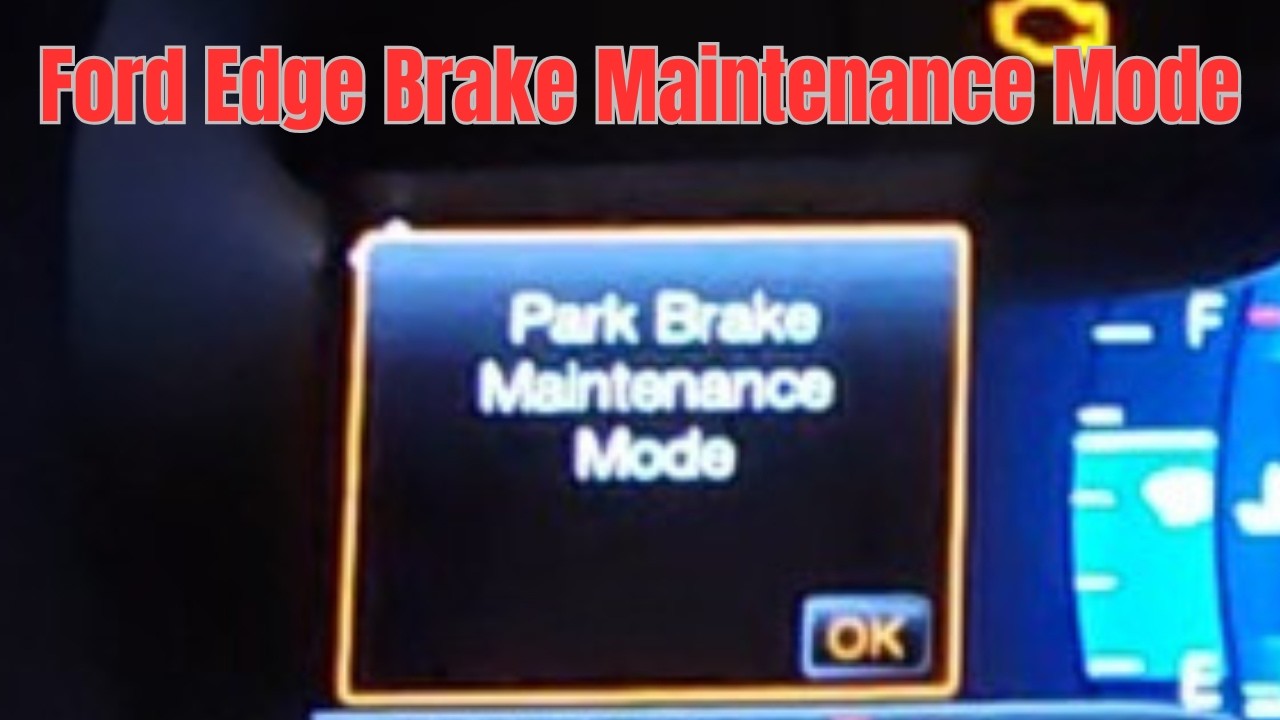
Credit: www.youtube.com
Alternative Methods
Disabling the auto parking brake on a Ford Explorer can be useful in certain situations. Here, we explore alternative methods to achieve this.
While the process may vary, there are a few reliable approaches you can try. Always ensure your safety first.
Using The Manual Brake Override
The manual brake override method offers a straightforward way to disable the auto parking brake. Ensure your vehicle is on a flat surface before proceeding.
Consulting The Owner’s Manual
The owner’s manual is a valuable resource for vehicle-specific instructions. It provides detailed steps tailored to your model.
- Locate the manual in your glove compartment.
- Refer to the section on parking brakes.
- Follow the instructions carefully.
| Method | Effectiveness |
| Manual Override | High |
| Owner’s Manual | Medium |
Troubleshooting Common Issues
Disabling the auto parking brake on a Ford Explorer can sometimes cause issues. Knowing how to handle these problems helps keep your vehicle safe and running well.
This guide covers common problems like system not responding and warning lights appearing after disabling the brake.
System Not Responding
If the auto parking brake system does not respond after disabling, the issue may be with the car’s software or electrical components.
- Check the vehicle’s battery for proper charge.
- Inspect the brake switch and wiring for damage.
- Restart the vehicle to reset the system.
- Use an OBD-II scanner to find error codes.
- Consult the owner’s manual for system reset instructions.
Warning Lights After Disabling
Warning lights may appear on the dashboard after you disable the auto parking brake. These lights indicate the system needs attention.
| Warning Light | Meaning | Action |
| Parking Brake Warning | Brake system may be active or faulty | Check brake status and reset if needed |
| ABS Warning | Anti-lock brake system problem | Inspect ABS sensors and wiring |
| Service Vehicle Soon | System error detected | Scan vehicle for codes and repair |

Credit: www.youtube.com
When To Seek Professional Help
Disabling the auto parking brake on a Ford Explorer can sometimes be tricky. If you are not sure about the process, it is best to get help from a professional.
Some problems need expert tools and knowledge to fix safely. Knowing when to visit a dealer can save time and avoid damage.
Signs You Should Visit A Dealer
If your parking brake does not turn off or turns off by itself, it is a clear sign to see a dealer. Other warning lights on your dashboard also mean you need help.
Strange noises or a burning smell when the brake is on can show a mechanical issue. If you feel the brake pedal is too hard or too soft, a professional check is needed.
- Brake won’t release or engage properly
- Dashboard shows brake warning lights
- Unusual sounds or smells when braking
- Brake pedal feels abnormal
- Auto parking brake activates randomly
Cost And Time Considerations
Fixing auto parking brake issues at a dealer may cost more than DIY fixes. The price depends on the problem’s cause and parts needed.
Dealers use special tools to diagnose and repair the brake system. This work can take from one hour to several hours depending on the issue.
- Diagnostic fees vary by dealer
- Parts replacement increases cost
- Time needed ranges from 1 to 4 hours
- Safety checks included in service
Tips For Maintaining Brake System
Maintaining your Ford Explorer’s brake system is crucial for safety. Regular checks and updates help ensure your brakes work well.
This guide will help you understand how to keep your brake system in top condition. Follow these simple tips to maintain your vehicle’s safety.
Regular Inspection
Regular inspection of your brake system helps catch issues early. Check your brakes every few months for wear and tear.
Listen for unusual sounds when braking. Squeaking or grinding noises may indicate a problem that needs attention.
- Check brake pads for thickness
- Inspect brake fluid levels
- Look for leaks in brake lines
- Examine brake rotors for damage
Software Updates
Software updates can improve your brake system’s performance. Ensure your vehicle’s software is current to benefit from the latest features.
Visit your Ford dealer or authorized service center for updates. They can install the latest software to help your brakes work better.
- Check for software update alerts
- Schedule updates with your dealer
- Ensure compatibility with your vehicle

Credit: www.reddit.com
Frequently Asked Questions
How Do I Disable Auto Parking Brake On Ford Explorer?
To disable the auto parking brake, access the vehicle settings via the dashboard menu. Navigate to the parking brake options and turn off the automatic feature. Refer to your Ford Explorer manual for specific model instructions.
Can I Manually Control Parking Brake In Ford Explorer?
Yes, you can manually control the parking brake using the lever or electronic button. Disabling auto mode allows full manual operation, giving you more control in specific driving situations.
Is It Safe To Disable Auto Parking Brake Feature?
Disabling the auto parking brake can be safe if used cautiously. Always ensure the parking brake is engaged when parking on slopes to prevent vehicle roll.
Will Disabling Auto Parking Brake Affect Warranty?
Disabling the auto parking brake feature typically does not void your Ford Explorer warranty. However, always check with your dealer or warranty terms before making modifications.
Conclusion
Disabling the auto parking brake on your Ford Explorer is simple. Follow the steps carefully for safety. This guide helps you control your vehicle better. Drive with confidence and avoid unwanted brake engagement. Always check your owner’s manual for details.
Take your time and stay safe on the road.