
Have you ever wondered if your Android Auto experience can stay seamless while your phone charges wirelessly in your car? You rely on Android Auto to keep you connected, navigate smoothly, and enjoy your favorite apps on the go.
But what if your phone’s battery drains faster than you expect, or you worry about tangled cables cluttering your dashboard? Finding out whether Android Auto works with wireless charging could change how you drive and stay powered up. Keep reading to discover the truth and learn how to get the best of both worlds—convenience and continuous power—every time you hit the road.
Credit: affiliates.bloodstock.uk.com
How Android Auto Connects
Android Auto lets you use your phone safely in your car. It connects your phone to the car’s display. This helps you access apps, navigation, and calls on a bigger screen.
There are two main ways to connect Android Auto: with a cable or wirelessly. Both methods have different setups and needs.
Wired Connection Basics
Using a wired connection is simple and common. You plug your phone into the car using a USB cable. The cable sends power and data between the phone and car.
- Use a good-quality USB cable for stable connection.
- Connect the cable to the car’s USB port.
- Allow permissions on your phone if asked.
- Android Auto starts automatically on the car’s screen.
Wireless Connection Requirements
Wireless Android Auto lets you connect without cables. It uses Wi-Fi and Bluetooth to link your phone and car. Not every car or phone supports this feature.
| Requirement | Details |
| Phone | Android 9.0 or higher with wireless support |
| Car | Wireless Android Auto compatible head unit |
| Bluetooth | Enabled on both phone and car |
| Wi-Fi | Used for faster data transfer between devices |
Wireless Charging Technology
Wireless charging allows devices to charge without cables. It uses electromagnetic fields to transfer energy.
Many smartphones support wireless charging. This makes charging simple and reduces cable clutter.
Qi Standard Explained
Qi is the most common wireless charging standard. It works by placing your device on a charging pad.
The charging pad sends power through coils inside the device. This process is safe and efficient.
- Devices must support Qi to charge wirelessly
- Qi uses magnetic induction for power transfer
- It works at short distances, usually a few millimeters
- Many cars have Qi pads for wireless charging
Fast Wireless Charging
Fast wireless charging delivers more power to the device. It charges phones quicker than standard wireless charging.
Not all devices support fast wireless charging. Your phone and charger must both allow it.
- Fast charging can deliver up to 15 watts or more
- It uses better coils and technology in chargers
- Some phones slow charging to protect the battery
- Charging speed varies by device and charger quality
Compatibility Between Android Auto And Wireless Charging
Android Auto lets you use apps safely while driving. Wireless charging powers your phone without cables.
Many drivers want to know if Android Auto works with wireless charging at the same time.
Supported Devices And Cars
Not all phones support wireless Android Auto use. Your car must also have the right technology.
Many newer Android phones support wireless Android Auto and wireless charging together.
- Phones with Android 11 or higher often support wireless Android Auto
- Phones like Google Pixel 3 and newer support wireless Android Auto
- Many Samsung Galaxy phones from S8 and newer work well
- Cars with built-in wireless Android Auto are needed
- Some car brands include wireless charging pads for phones
Common Compatibility Issues
Wireless Android Auto can face problems. These come from the phone, car, or charger.
Charging speed may slow down while using Android Auto wirelessly. Connection can drop sometimes.
- Phones may not connect if software is outdated
- Not all wireless chargers support data transfer for Android Auto
- Some cars require a USB cable to start wireless Android Auto
- Interference from phone cases or metal objects can block wireless signals
- Older cars may not support wireless Android Auto at all
Setting Up Wireless Android Auto
Wireless Android Auto lets you connect your phone without cables. It makes driving safer and easier.
This guide helps you set up wireless Android Auto in your car step by step. Follow the instructions carefully.
Step-by-step Setup Guide
First, check if your car and phone support wireless Android Auto. Most recent models do.
- Turn on your car’s Bluetooth and Wi-Fi.
- Enable Android Auto on your phone.
- Open the Android Auto app and agree to the terms.
- Pair your phone with the car’s Bluetooth system.
- Allow permissions for contacts, messages, and location.
- Connect to the car’s Wi-Fi hotspot if prompted.
- Wait for the phone to link to the car wirelessly.
- Start using Android Auto on the car’s display.
Troubleshooting Connection Problems
If wireless Android Auto does not connect, try these fixes. They solve common issues fast.
| Problem | Possible Cause | Solution |
| No connection | Bluetooth or Wi-Fi off | Turn both on in phone and car |
| App not responding | Outdated Android Auto app | Update app via Google Play Store |
| Phone won’t pair | Incorrect pairing process | Delete old pairing and try again |
| Slow or lagging | Weak Wi-Fi signal | Move phone closer to car’s receiver |
| Permissions denied | Permissions not granted | Allow all permissions in phone settings |
Benefits Of Using Wireless Charging With Android Auto
Wireless charging with Android Auto offers a seamless experience for drivers. It eliminates the need for cables and keeps your phone powered up.
This feature is becoming more common in modern vehicles. It provides convenience and helps maintain the longevity of your devices.
Convenience On The Go
Wireless charging allows you to charge your phone without plugging in a cable. This is especially useful during short trips.
- No need to fumble with cables
- Easy to place your phone on the charging pad
- Quick access to Android Auto features
Reducing Cable Wear And Tear
Using wireless charging reduces the wear on charging cables. This helps in maintaining their lifespan and saves you money over time.
| Issue | Wireless Charging | Wired Charging |
| Wear and Tear | Minimal | High |
| Convenience | High | Low |
| Cost Savings | Yes | No |

Credit: www.reddit.com
Limitations And Drawbacks
Using Android Auto with wireless charging sounds convenient. It lets you charge your phone without cables.
Still, there are some issues to consider before relying on this setup in your car.
Battery Drain Concerns
Wireless charging often charges slower than wired charging. This means your phone may lose power faster.
Android Auto uses a lot of battery to run apps and connect to the car. Slow charging may not keep up.
- Wireless charging speed varies by charger and phone model
- High power use from Android Auto can drain battery despite charging
- Battery may heat up more with wireless charging
Connection Stability
Wireless connections may drop or lag more than wired ones. This affects Android Auto’s performance.
Disconnections can interrupt navigation, calls, or music, causing frustration while driving.
- Wireless signals can be weak due to phone or charger position
- Some cars have trouble maintaining stable wireless Android Auto connections
- Interference from other devices can cause connection issues
Future Trends For Android Auto And Wireless Charging
As technology evolves, Android Auto and wireless charging are becoming more integrated. Cars now offer more features than ever before.
By 2025, we expect significant advancements in these areas. Let’s explore what’s on the horizon for Android Auto and wireless charging in cars.
Upcoming Features In 2025
Manufacturers plan to include more features in Android Auto. These will enhance user experience and connectivity.
- Seamless integration with home devices
- Enhanced voice control capabilities
- Personalized user profiles
Advancements In Car Tech
New car technologies will make driving safer and more enjoyable. These advancements focus on convenience and efficiency.
| Technology | Benefit |
| Adaptive Cruise Control | Maintains safe distance from other cars |
| Lane Keeping Assist | Helps stay in your lane |
| Wireless Charging Pads | Charges devices without cables |
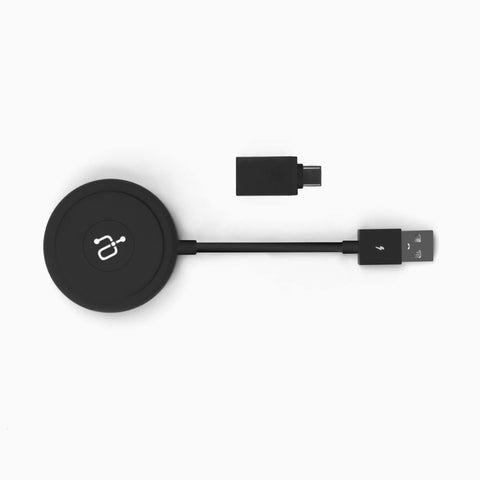
Credit: aluratek.com
Frequently Asked Questions
Does Android Auto Support Wireless Charging?
Yes, many Android Auto-compatible phones support wireless charging. However, this depends on your phone and car model’s features.
Can I Use Android Auto Without A Cable?
Wireless Android Auto works if both your phone and car support it. Otherwise, a USB cable is required.
Does Wireless Charging Affect Android Auto Performance?
No, wireless charging generally does not impact Android Auto’s functionality or speed. It only charges your phone wirelessly.
Which Phones Support Wireless Android Auto?
Most recent Android phones running Android 11 or higher support wireless Android Auto with compatible car systems.
Conclusion
Android Auto can work with wireless charging, but it depends on your car and phone. Some cars support both features at the same time. Others may need a wired connection for Android Auto to work. Wireless charging is helpful, but it might not always keep your phone fully charged during long drives.
Check your car’s manual and phone settings to be sure. Staying connected and charged can make your driving safer and easier. Simple steps can improve your experience with Android Auto and wireless charging.